One app, one tap, for your face and your voice
Hiding your face with one app and your voice with another means two subscriptions, two workflows and the headache of keeping them in sync. Maskwave does both — in one app, in a single tap.
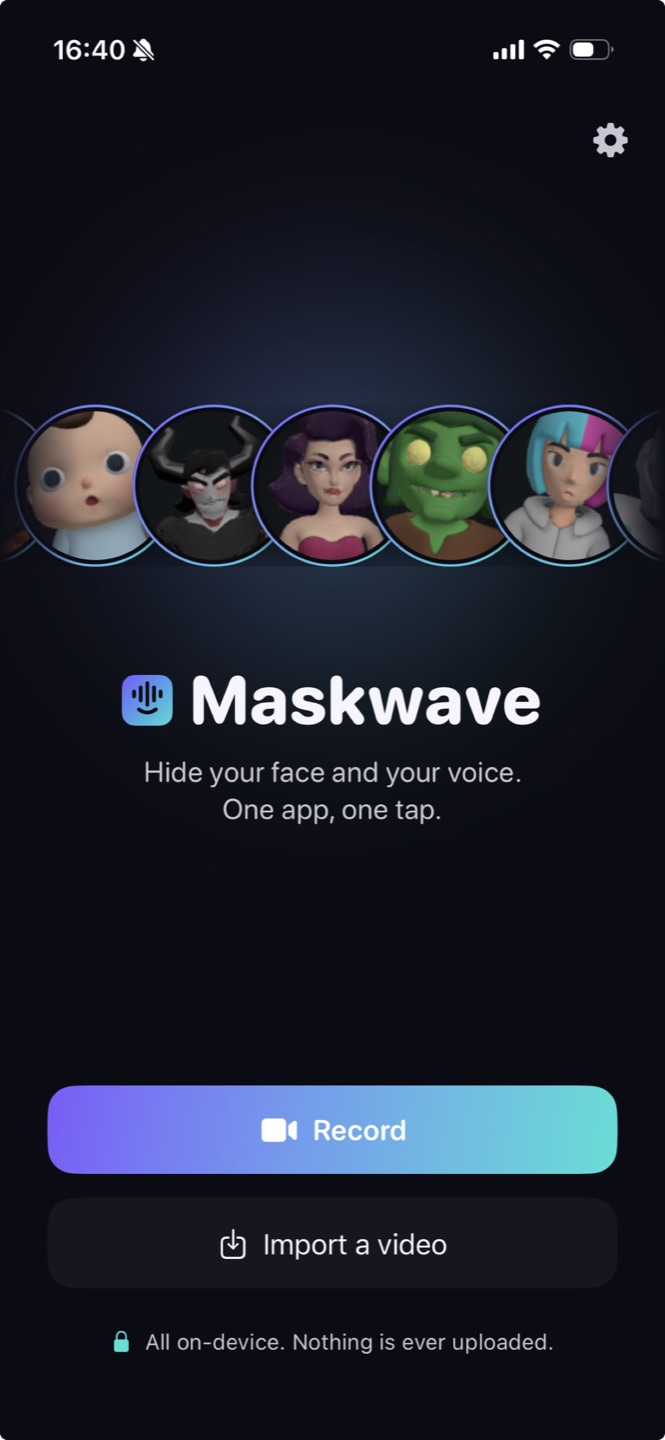
Maskwave is a single app that hides both your face and your voice on recorded video, in one tap, on your own device. Most 'faceless' setups bolt a face tool onto a separate voice changer — two subscriptions, two exports and the job of lining the audio back up with the mouth. Maskwave replaces that whole stack: record or import a clip, tap once, and a stylized avatar and a disguised voice are applied together in the same pass — no timeline, no second app, and nothing to sync.
Two apps is the hidden tax on going faceless
Look closely at most faceless workflows and you'll find a Frankenstein: a face-swap or avatar app for the visuals, a voice changer for the audio, and an editor to glue them together. Every one of those is a separate tool to learn, a separate bill, and a separate chance for the face and voice to drift out of sync.
Maskwave is built as one app precisely so that tax disappears. The avatar and the voice are two halves of the same one-tap action — never a hand-off between products.
Record, tap, export
- Record. Shoot your take right in the app, or pick a clip you already have on your phone.
- Tap once. One tap applies the stylized avatar and the disguised voice together — your whole identity hidden in a single step, on-device.
- Export. Save the finished, anonymized clip straight to your device, ready to upload. Nothing is sent to a server.
The friction is what stops people posting — if hiding your face meant an hour in an editor, most clips would never go out. One tap means you can film a reaction, anonymize it and publish it in less time than it used to take just to open your editing app.
One app, one tap, one price
- One app. Face and voice live in the same place — record or import, then anonymize, without leaving the app.
- One tap. The stylized avatar and the disguised voice are applied together in a single pass, so they're always in sync by design.
- One flat price. On-device compute costs almost nothing per clip, so it's unlimited video for one flat rate — not two subscriptions for two halves of the job.
Always in sync, because it's one pass
When the face and voice are changed by the same app in the same pass, they can't drift — the mouth movement of your avatar and the timing of your disguised voice come from the same source clip. No re-aligning audio, no re-exporting because the lips slipped a frame.
One app, one tap, for the whole you
Face and voice, hidden together in one app, one tap, one flat price — on your own device, always in sync. No second app, no re-syncing.
Enter your email to get started
Works on iPhone · nothing leaves your device · cancel anytime.
FAQ
Can't I just use a face app and a voice app together?
You can, but that's two subscriptions, two exports and the ongoing job of keeping the changed face and voice in sync. Maskwave does both in one app, in a single pass, so they're always aligned.
Is it really one tap, or several steps?
One tap. After you record or import a clip, a single tap applies the stylized avatar and the disguised voice together. You don't set keyframes, pick regions or sync anything — then you export.
Does the one app work on video I already recorded?
Yes. Record inside Maskwave or import a clip you already shot, then tap once to hide your face and voice together and export the anonymized version.
Do I have to edit the clip or line up the face and voice myself?
No. There's no timeline and nothing to sync — Maskwave applies the stylized avatar and the disguised voice together in a single tap, then you export. Record, tap, post; going faceless is one tap, not an editing project.