How to hide your face in a video (and your voice with it)
Blurring, emojis and camera-off all hide your face but leave your voice — and some are easy to reverse. Here's the simplest way to hide your face for real, in one tap.
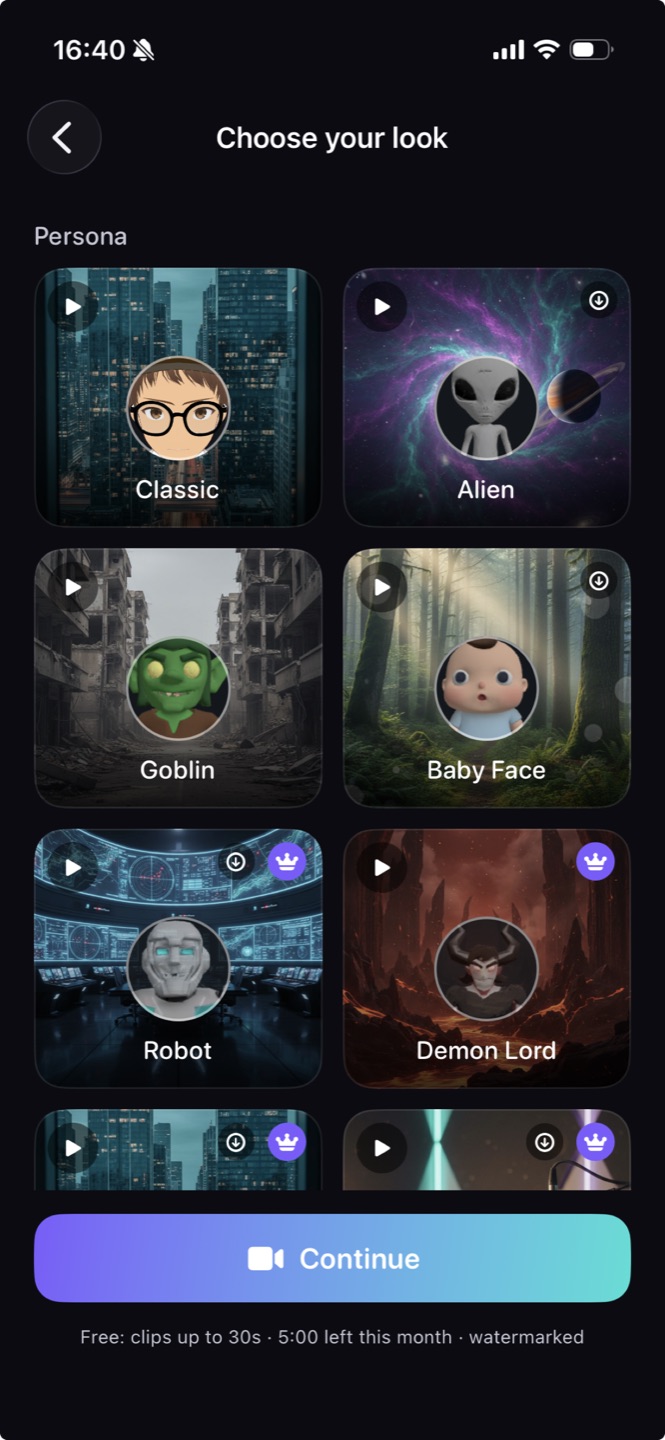
The simplest way to hide your face in a video is to replace it with a stylized avatar rather than blur or cover it — and to change your voice at the same time, since your voice can identify you just as easily. Maskwave does both in one tap on recorded video: you record or import a clip, tap once, and it applies a stylized avatar and a disguised voice together, entirely on your device. Unlike a blur you paint over the footage, an avatar can't be sharpened or reversed back to your real face, and nothing is uploaded to a server.
Why blurring your face isn't enough
The quick tricks — a blur, a black bar, an emoji sticker, or shooting from the neck down — have two problems. First, they're brittle: a blur can slip off your face mid-clip, and some blurs can be partly reversed. Second, they do nothing about your voice, which is often the easier thing to recognize. Hiding your face while your real voice plays over it isn't really anonymous.
The one-tap way to hide both
- Record or import the clip you want to anonymize.
- Tap once to place a stylized avatar over your face and disguise your voice — together, in the same on-device pass.
- Export the finished clip, ready to post. Your real face and voice never leave your device.
An avatar hides better than a blur
A blur tries to destroy information after the fact; a stylized avatar replaces your face entirely with something that was never you. There's nothing underneath to recover. And because Maskwave changes your voice in the same tap, the clip is anonymous end to end — not just visually.
Hide your face for real
Swap your face for a stylized avatar and disguise your voice in one tap, on-device — nothing to reverse, nothing uploaded, no editing.
Enter your email to get started
Works on iPhone · nothing leaves your device · cancel anytime.
FAQ
What's the easiest way to hide my face in a video?
Replace it with a stylized avatar rather than blurring it, and change your voice at the same time. Maskwave does both in one tap on a recorded clip — no editing, no timeline.
Is hiding my face enough to stay anonymous?
Usually not — your voice can identify you on its own. That's why Maskwave hides your face and your voice together, so the whole clip is anonymized, not just the picture.
Do I have to edit the clip or line up the face and voice myself?
No. There's no timeline and nothing to sync — Maskwave applies the stylized avatar and the disguised voice together in a single tap, then you export. Record, tap, post; going faceless is one tap, not an editing project.